
LinkMate3.0 - Get APK
You'll be able to download in few seconds.
Publisher Description


Works as your new Classmate to find out Places Nearby you
Simplify Your Life With LinkMate, its always closer than you think before, based on Google map which identifies your current location and allows you to find the nearest path arounds you like:
Coffee Shop.
Banks & ATMs.
Hotels & Restaurants.
Police Stations.
Hospitals & Clinics.
Bars and lots more Nearby you.
___
Basic Functionalists:
+View Available Normal, Satellite, Terrain maps.
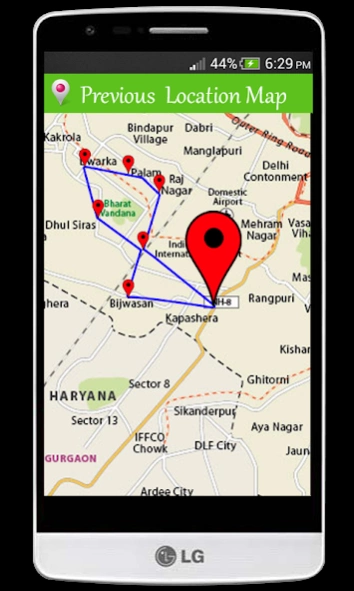
+You can check your all day's journey route with this app.
+Each place include the name , the address and the distance from you.
+Users Can Chose Either Driving Route/ Walking Route.
+ Show you place, address, city or anything thats nearby you.
+ Search for directions on how to reach your destination on Google Maps.
+ Navigate out the places exact info like address, distance etc.
+ Provides shortest options on how to go to your destination.
+Share places with your friends (Facebook, whatsApp, email and more)
+ Very Simple UI & even easy to use for all.
___
Notes
☆You need to turn on GPS Location service on your device for using this app.
We always happy to get your feedback and answer any questions at: vinodvishwakarma201407@gmail.com
Please give your feedback and review on this app, which will help us so much in improving and enhancing the quality of product in the next version updates.
About LinkMate
The company that develops LinkMate is TOUCHSERIES TECHNOLOGIES. The latest version released by its developer is 3.0.
To install LinkMate on your Android device, just click the green Continue To App button above to start the installation process. The app is listed on our website since 2018-10-25 and was downloaded 0 times. We have already checked if the download link is safe, however for your own protection we recommend that you scan the downloaded app with your antivirus. Your antivirus may detect the LinkMate as malware as malware if the download link to places.near.my.location is broken.
How to install LinkMate on your Android device:
- Click on the Continue To App button on our website. This will redirect you to Google Play.
- Once the LinkMate is shown in the Google Play listing of your Android device, you can start its download and installation. Tap on the Install button located below the search bar and to the right of the app icon.
- A pop-up window with the permissions required by LinkMate will be shown. Click on Accept to continue the process.
- LinkMate will be downloaded onto your device, displaying a progress. Once the download completes, the installation will start and you'll get a notification after the installation is finished.
Program Details
System requirements
Download information
Pricing
Version History
version 3.0
posted on 2018-10-25
Some bug fixes.
version 2.0.1
posted on 2016-11-17
New in LinkMate,#Near by Places Added with Details.,What's new in version 1.1,# Some Bug fixes.,# Make user friendly UI.
Disclaimer
External Download
We do not host LinkMate on our servers. We did not scan it for viruses, adware, spyware or other type of malware. This app is hosted by Galad and passed their terms and conditions to be listed there. We recommend caution when installing it.
The APK Download link for LinkMate is provided to you by apps112.com without any warranties, representations or guarantees of any kind, so access it at your own risk.
If you have questions regarding this particular app contact the publisher directly. For questions about the functionalities of apps112.com contact us.
